Cisco's Catalyst 9000 family covers the whole campus, and the 9300 and 9400 are the two built for wiring closets. They do the same job at different scales. The 9300 is a fixed switch you stack. The 9400 is a chassis you fill with line cards. The specifications below come from Cisco's data sheets, linked under Sources at the end.
The short answer
Choose the Catalyst 9300 when the closet grows in 24 or 48 port steps and a stack of up to 8 switches is enough redundancy. Choose the Catalyst 9400 when one closet needs hundreds of ports, a redundant supervisor and a large PoE budget in one managed device. Both run Cisco IOS XE and use the same licence tiers.
Side by side
| Catalyst 9300 | Catalyst 9400 | |
|---|---|---|
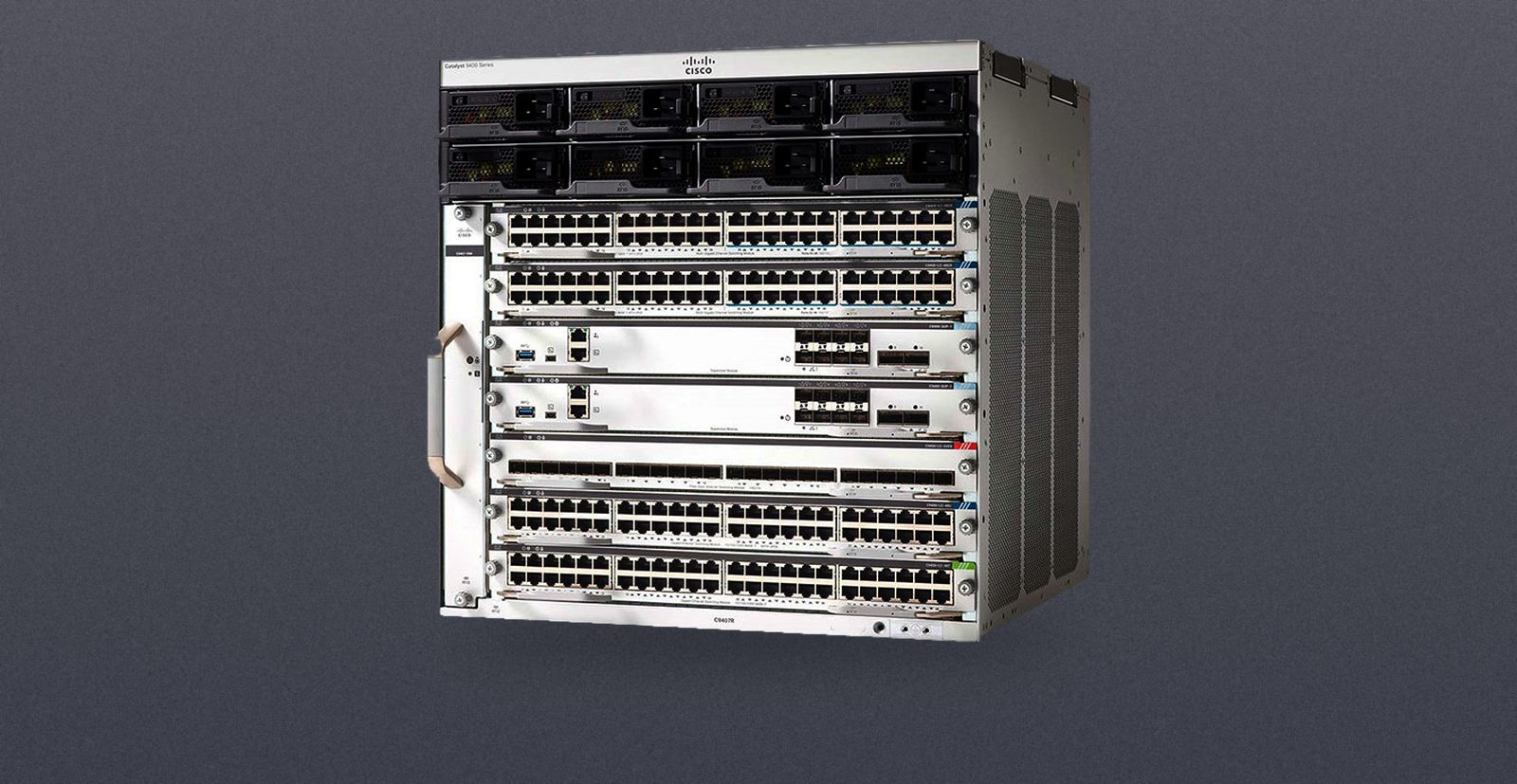
| Design | Fixed 1RU switch. Most models take a network module for uplinks (C9300-NM-*) | Modular chassis: C9404R (4 slots, 6RU), C9407R (7 slots, 10RU), C9410R (10 slots, 13RU) |
| Growth | Stack up to 8 switches | Line cards: 2, 5 or 8 slots by chassis |
| Control plane | Stack members share it | Two supervisor slots, 1+1, with NSF/SSO |
| Power | Two supply bays, one fitted by default (PWR-C1 series), StackPower pooling | 4 bays (C9404R) or 8 bays (C9407R, C9410R): 3200 W AC, 2100 W AC or 3200 W DC, N+1 or N+N |
| PoE per port | 30 W PoE+, 60 W UPOE, 90 W UPOE+ (by model) | 15 W PoE, 30 W PoE+, 60 W UPOE, 90 W UPOE+ (by line card) |
| Most copper ports | 48 per switch, up to 448 access ports in a stack | 96, 240 or 384 per chassis |
| Bandwidth | By model, for example 256 Gbps for a C9300-48T, 736 Gbps with stacking | Up to 9 Tbps of system bandwidth |
| Software | Cisco IOS XE | Cisco IOS XE |
Ports per rack unit
A 48 port Catalyst 9300 is 48 ports in 1RU, so a stack of eight is 384 ports in 8RU. Cisco's density table lists 384 one-gigabit copper, PoE or multigigabit ports for a C9410R in 13RU, 240 for a C9407R in 10RU and 96 for a C9404R in 6RU. The ports are Cisco's numbers and the division by rack units is ours. The 9400 is not the denser box. What a chassis adds is a supervisor pair, power shared across every line card, and slots you can refill with different line card types as the closet changes. What a stack adds is a smaller unit to replace and to keep as a spare: one switch.
The Catalyst 9300 in detail
The 9300 is one family in four versions, and they do not all stack with each other.
- C9300: modular uplinks and StackWise-480 (480 Gbps). Network modules cover 1G, 10G, 25G, 40G and multigigabit uplinks.
- C9300X: StackWise-1T, uplinks up to 100G, and 100G hardware IPsec.
- C9300L: fixed uplinks (4x1G, 4x10G or 2x40G) and StackWise-320.
- C9300LM: four fixed 25G uplinks and StackWise-320.
Two stacking rules matter when you buy. A stack that mixes the C9300X and the C9300 runs at StackWise-480 speed, so the 1 Tbps figure only applies to a stack of C9300X switches. And fixed uplink switches (C9300L) and modular uplink switches (C9300) cannot be stacked together. Network modules are field replaceable and are not included by default, so confirm whether one is fitted.
The Catalyst 9400 in detail
The chassis sets the size. The C9404R has two line card slots, the C9407R has five and the C9410R has eight. The supervisors sit in their own slots, two to a chassis, and the standby takes over in under a second. Power supplies are redundant too, in N+1 or N+N, and the fans carry N+1 redundancy.
What the supervisor is matters as much as the chassis. Cisco's data sheet lists the bandwidth each supervisor gives a line card slot:
| Supervisor | C9404R | C9407R | C9410R |
|---|---|---|---|
| C9400-SUP-1 | 80 Gbps | 80 Gbps | 80 Gbps |
| C9400-SUP-1XL | 240 Gbps | 120 Gbps | 80 Gbps |
| C9400X-SUP-2 | 240 Gbps | 240 Gbps | 240 Gbps |
| C9400X-SUP-2XL | 480 Gbps | 480 Gbps | 480 Gbps |
Cisco's density table lists the 25G, 40G and 100G line card ports as requiring the SUP-2 or SUP-2XL, and the SUP-2 needs IOS XE 17.7.1 or later. The line cards run from 24 port 1G SFP (C9400-LC-24S) and 48 port PoE+ (C9400-LC-48P) up to 48 port UPOE (C9400-LC-48U) and multigigabit cards.
Lifecycle
Cisco ended sale of the Catalyst 9400 Supervisor 1 (C9400-SUP-1) on April 30, 2025. Support ends April 30, 2030, and Cisco names the C9400X-SUP-2 as the replacement. A C9400-SUP-1 keeps working in a 9400 chassis, and it gives the least bandwidth per slot in the table above, so check the line cards you plan to run against it. Cisco publishes a notice for each product line, and the dates for other Cisco families are in Cisco end of life deadlines 2026 to 2028.
What to check before you buy
- Supervisor generation. On a 9400, read which supervisor is fitted and what it gives each slot.
- Power supplies. A 9400 needs enough supplies for its line cards and its PoE load, and a 9300 ships with one supply unless a second is listed.
- Uplinks. On a 9300, confirm the network module, or buy a C9300L or C9300LM with fixed uplinks.
- Stacking. Match the family before you add a switch to a stack: C9300X with C9300X for the full speed, and never C9300L with C9300.
- Licence and software. Both families use Network Essentials or Network Advantage, and Cisco DNA subscriptions. Ask what licence and IOS XE release come with the unit.
Where to look
The Catalyst 9300 and 9400 page gathers the family, the Cisco range holds the rest of the line, and the Cisco brand guide explains it. In stock now: the C9407R chassis, the C9400-SUP-1 supervisor and the C9300L-24T-4X-E switch. Each page states its condition and what ships. If you need a specific 9300 model, a 9400 line card or a newer supervisor, send the part number. To move a Catalyst you are retiring, send us the list.